A face rating and an impression test for iPhone
One glance.
A full reading.
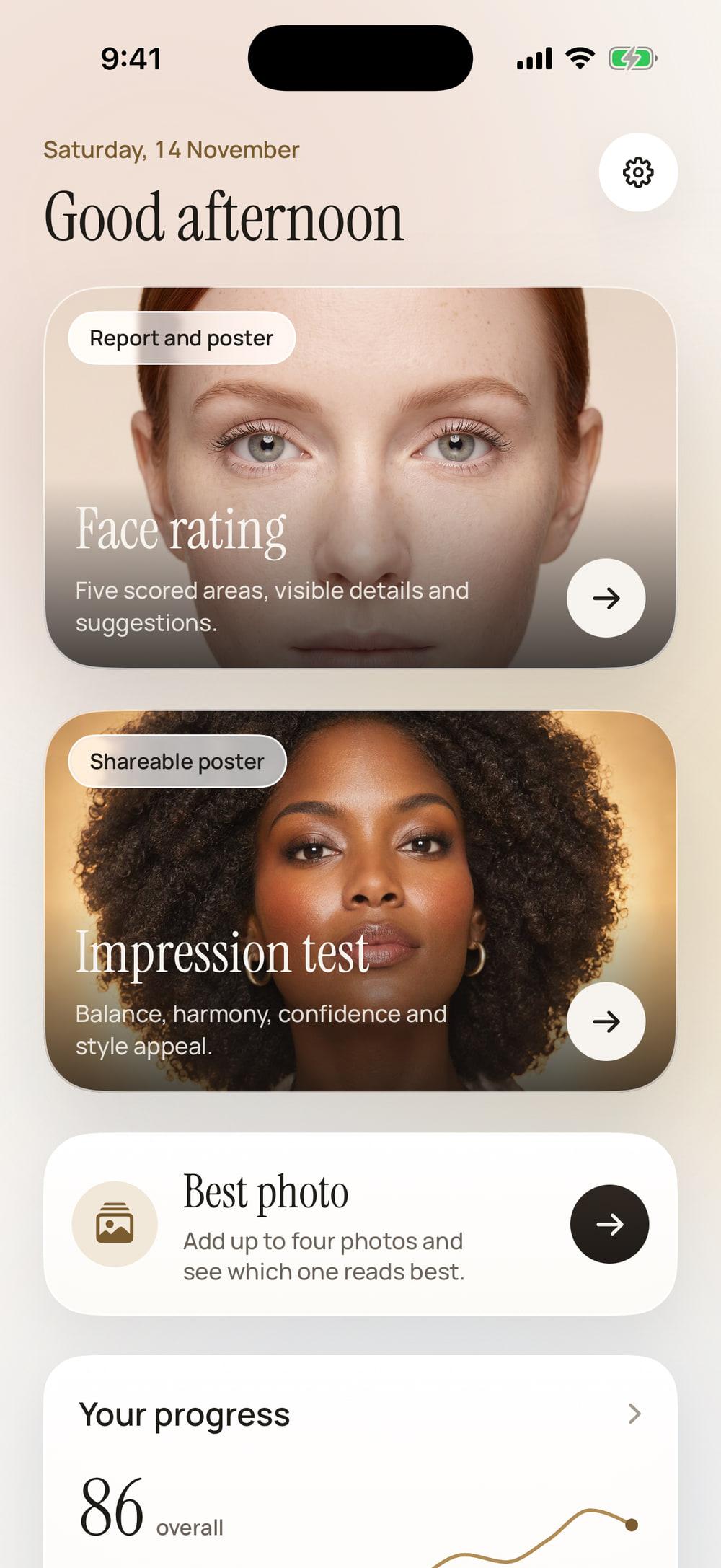
Glancy reads one photo of your face and gives you two results: a face rating across five scored areas, and an impression test that shows how your portrait comes across.
Requires an iPhone with iOS 26 or later.
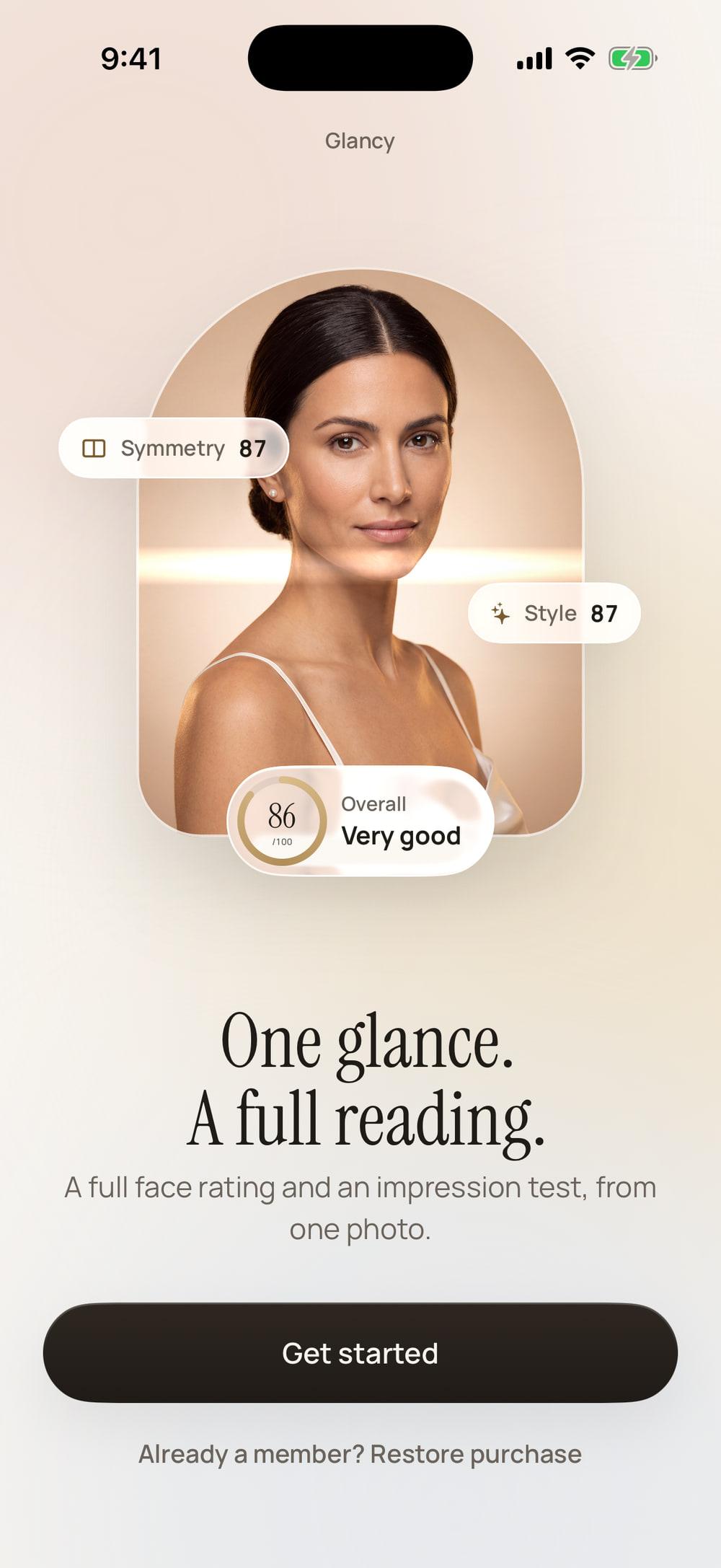
- photo is all a reading needs
- 1
- areas, each scored out of 100
- 5
- impression scores on one poster
- 4
- accounts to create
- 0
How it works
One photo in. A full reading out.
There is no free analysis and no trial, so the app shows you exactly what you would get before it shows you a price.
Step 1
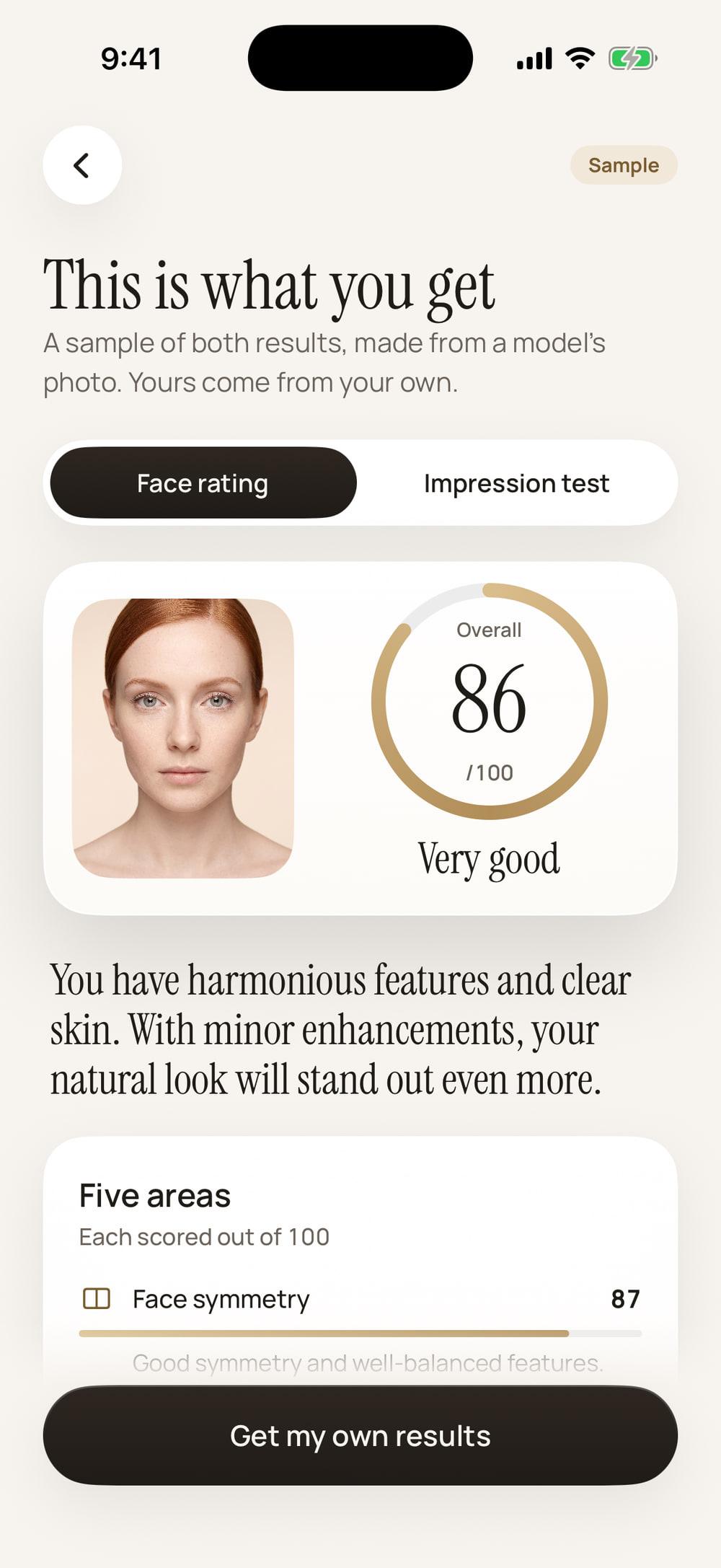
See a full sample first
Before it asks you to pay, the app shows a complete sample of both results. What you see there is what a member gets.
Step 2
Add one photo, choose a plan
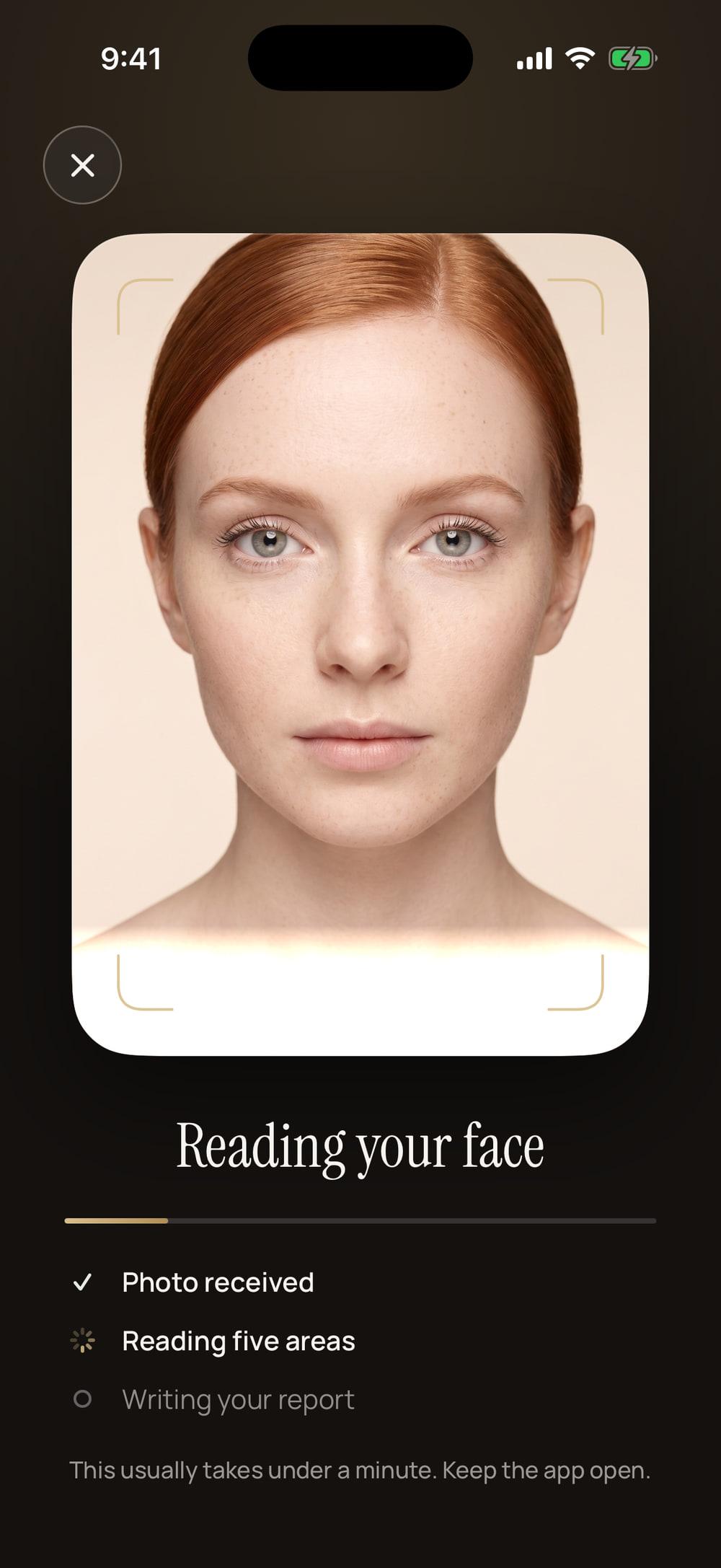
One face, looking at the camera. Your photo waits on your phone until a plan starts. Then Glancy reads it, usually in under a minute.
Step 3
Keep every result
Your results are saved on your phone. Come back to run another reading, compare your photos or follow your progress.
Real screens from the app, showing sample results. The portraits were generated for Glancy and do not show real people.
Face rating
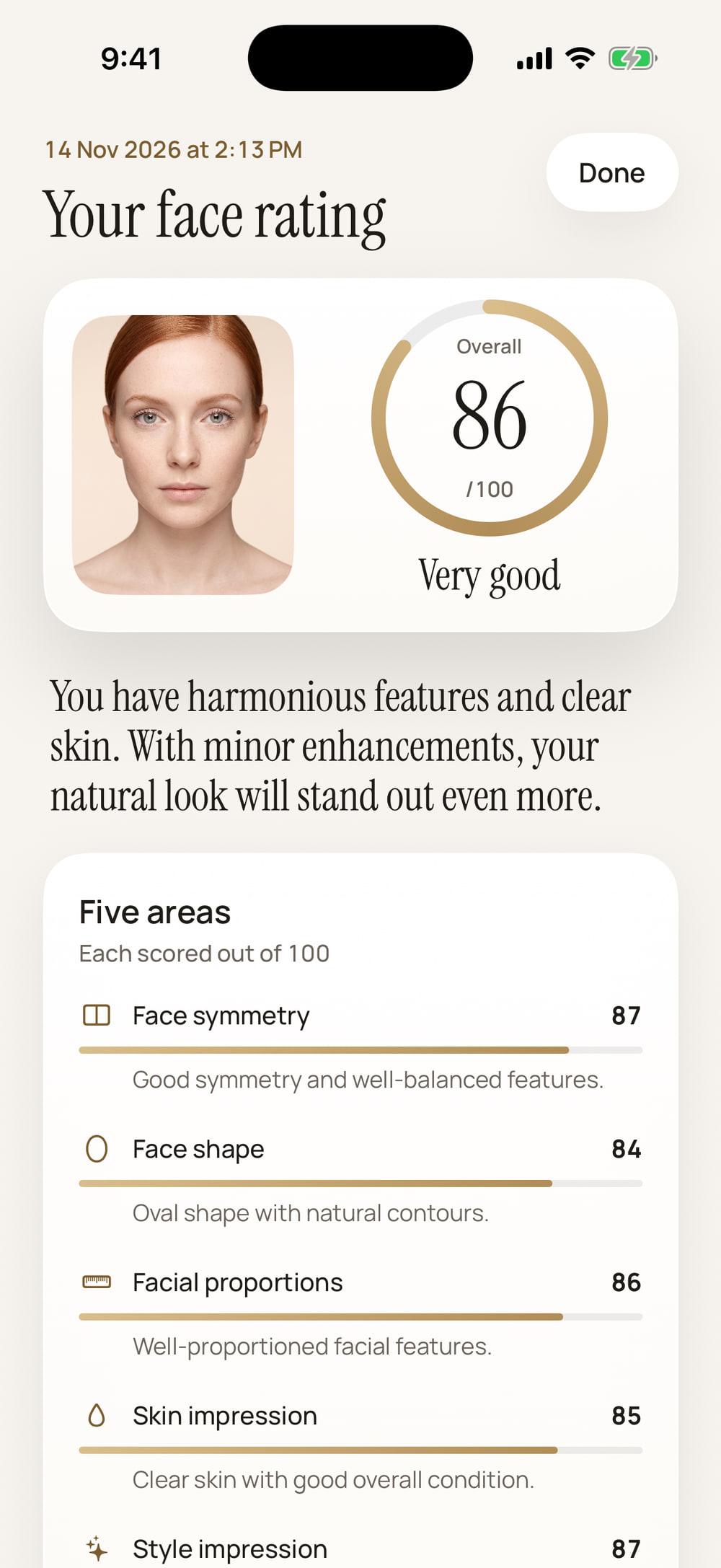
Everything one photo can tell you.
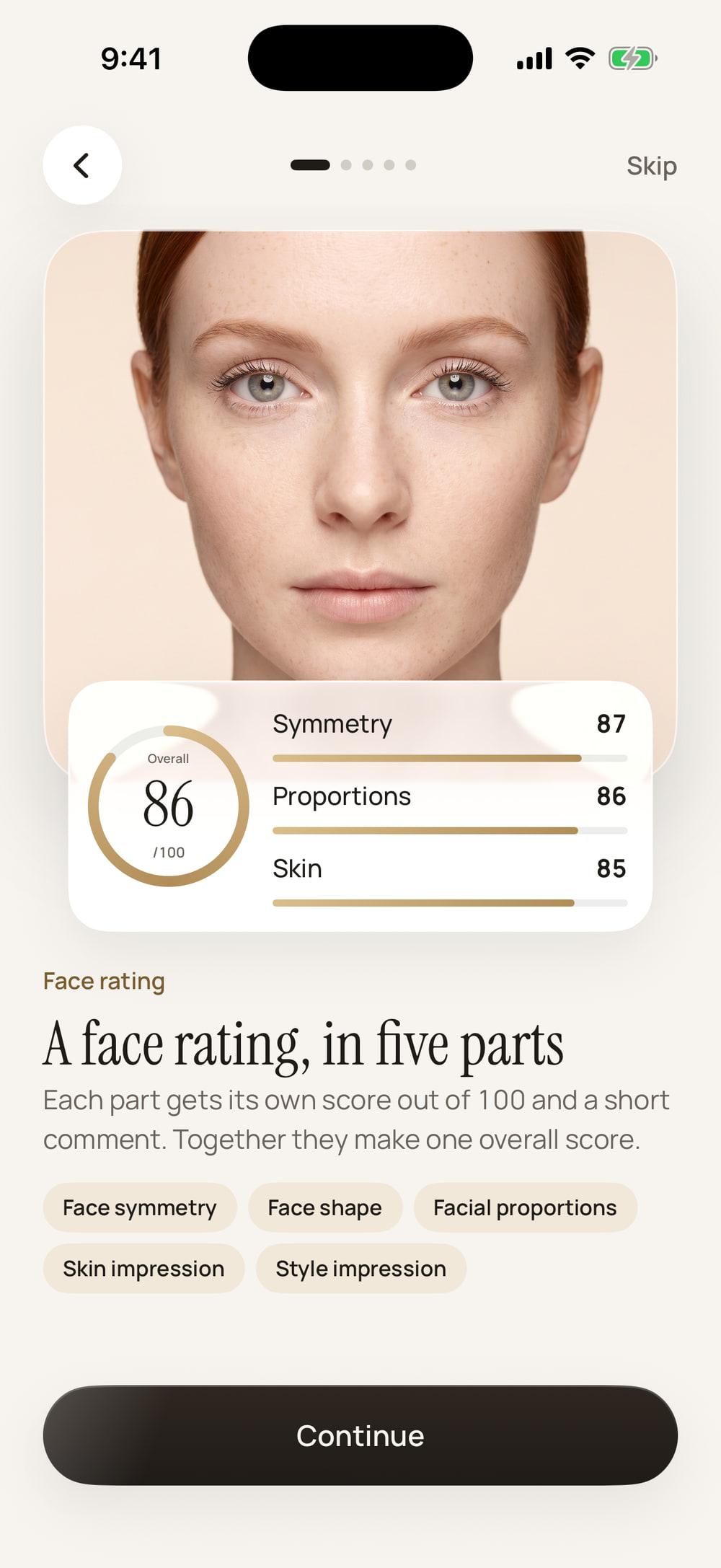
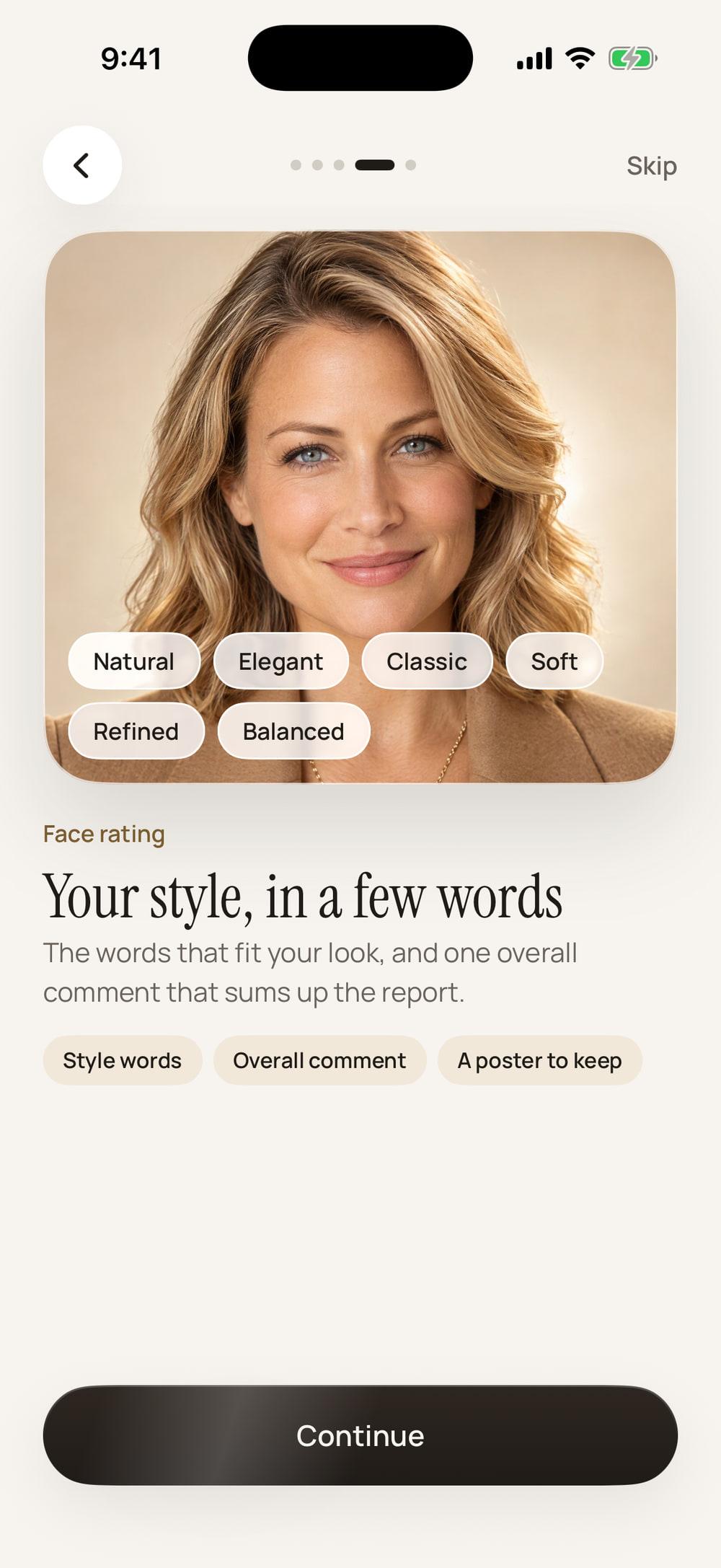
Open each part to read it in full. This is the sample the app shows before its paywall, made from a model’s photo. Yours comes from your own.
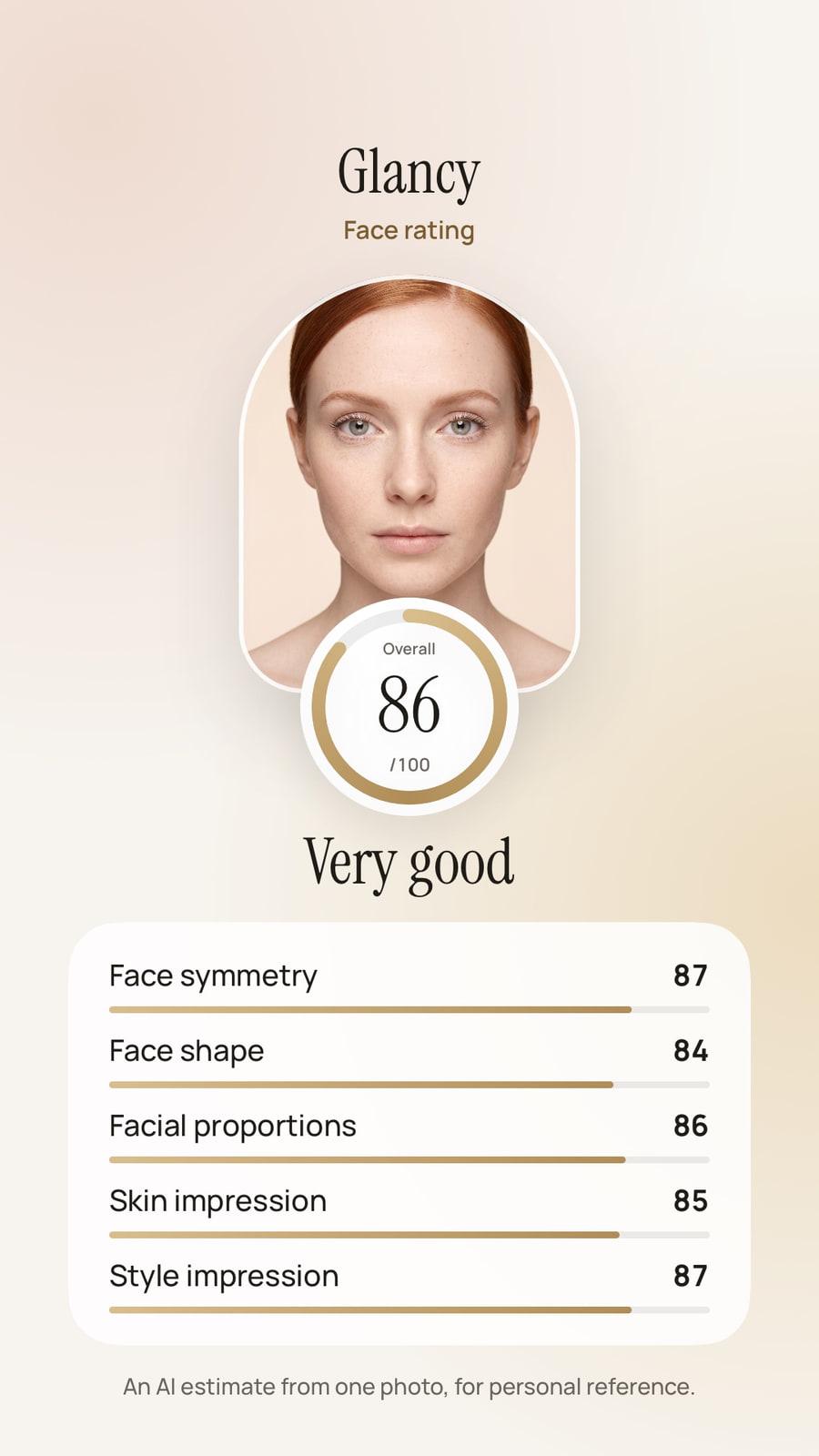
Very good
The overall score comes with a plain word, from Developing to Excellent.
- Face symmetry87 out of 100
Good symmetry and well-balanced features.
- Face shape84 out of 100
Oval shape with natural contours.
- Facial proportions86 out of 100
Well-proportioned facial features.
- Skin impression85 out of 100
Clear skin with good overall condition.
- Style impression87 out of 100
Natural and elegant style impression.
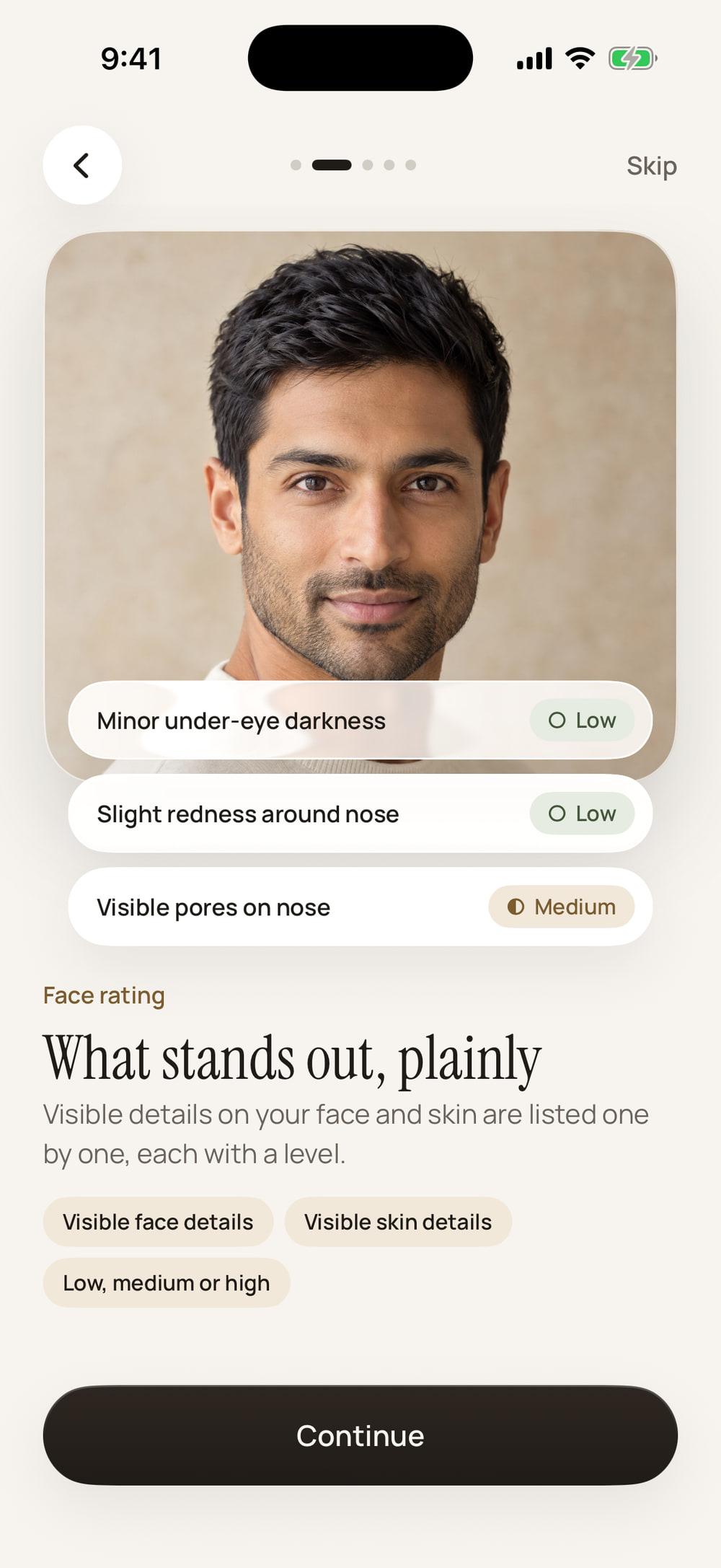
On your face
- Minor under-eye darknessLevel: Low
- Slight redness around noseLevel: Low
On your skin
- Slight uneven skin toneLevel: Low
- Minor visible pores on noseLevel: Low
- Very light redness on cheeksLevel: Low
Each detail is marked low, medium or high. The level is a shape and a word, never colour alone.
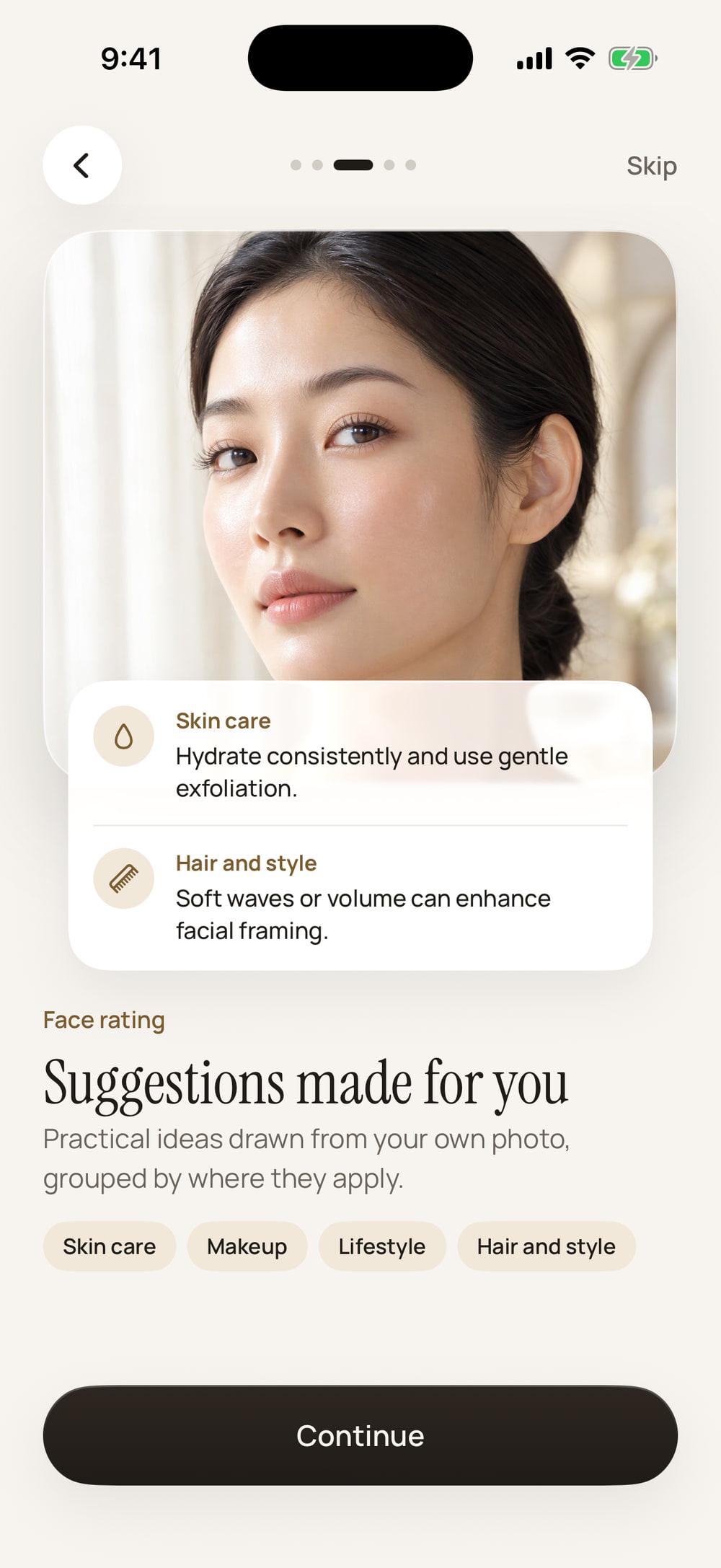
Skin care
Hydrate consistently and use gentle exfoliation.
Makeup
Use a colour corrector for the under-eye area and a light foundation.
Lifestyle
Stay hydrated and keep a balanced diet.
Hair and style
Soft waves or volume can enhance facial framing.
- Natural
- Elegant
- Classic
- Soft
- Youthful
- Refined
- Balanced
- Minimal
You have harmonious features and clear skin. With minor enhancements, your natural look will stand out even more.
The whole report also comes as a poster you can save and share.
Impression test
The impression you make, on one poster.
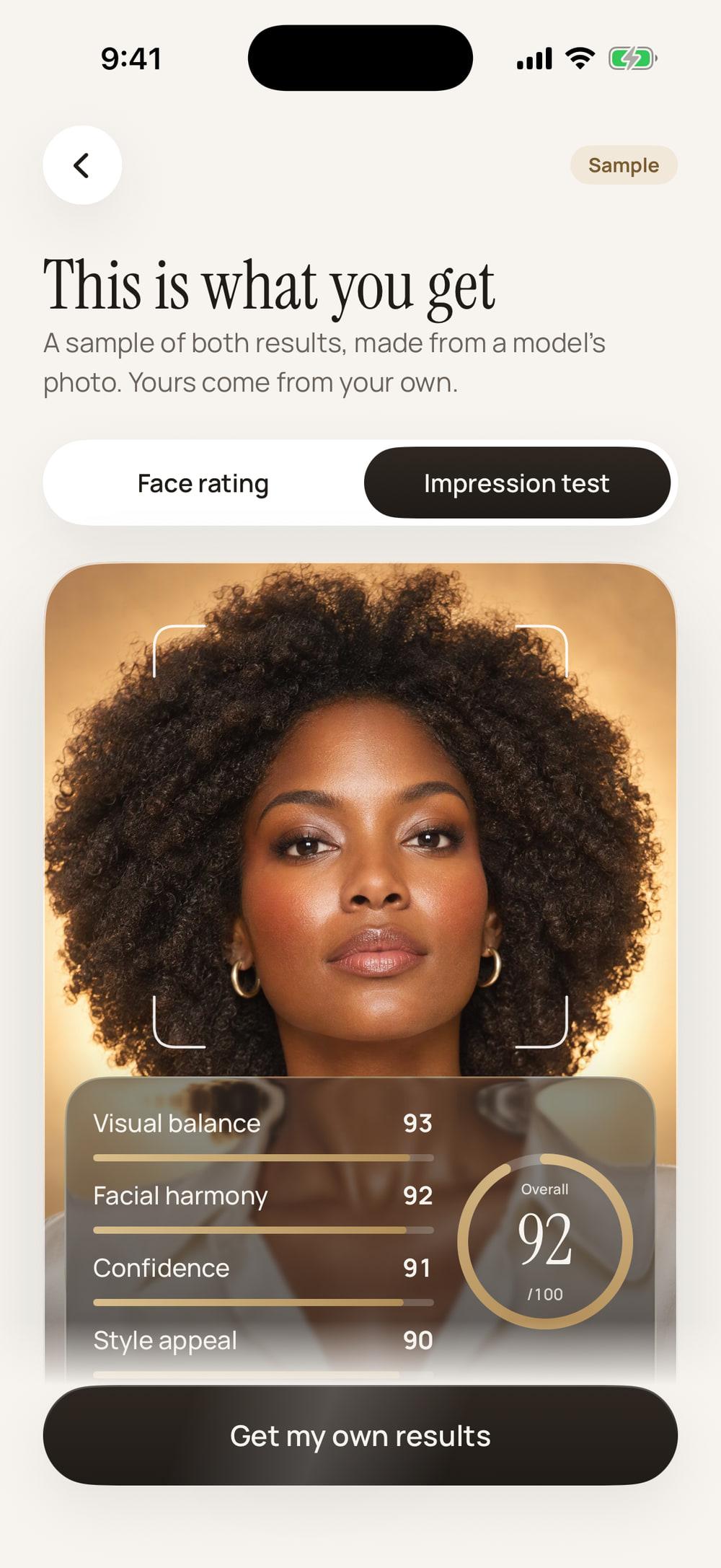
The impression test reads how your portrait comes across. It gives four impression scores and one overall score, with a line that sums it up, on a poster you can save and share.
- Visual balance
- 93 out of 100
- Facial harmony
- 92 out of 100
- Confidence
- 91 out of 100
- Style appeal
- 90 out of 100
A confident and well-balanced portrait with strong presence.
The sample’s comment, with an overall score of 92 out of 100.
Best photo
Find the photo that reads best.
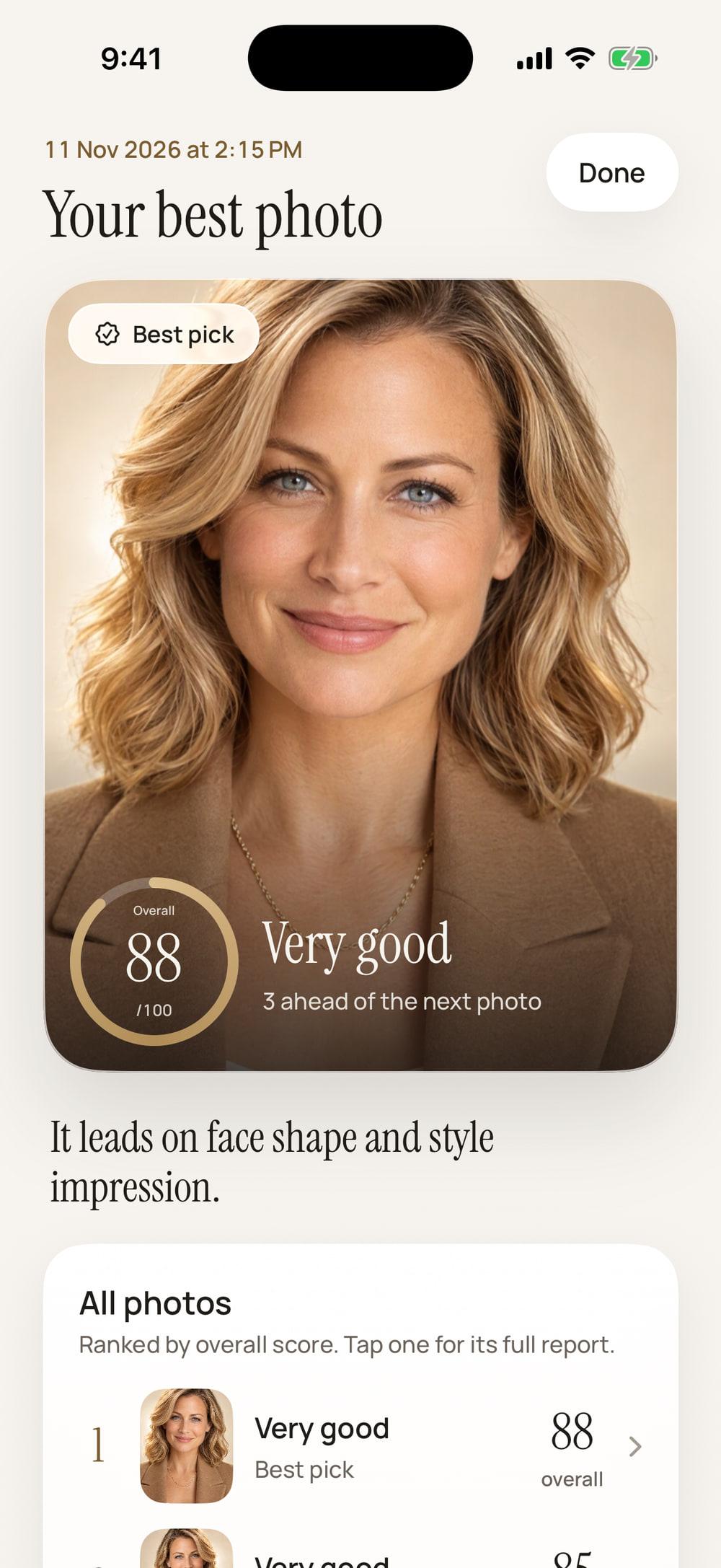
The same face scores differently from one photo to the next. Light, angle and expression all move it. So before you choose a profile picture, let Glancy rank the ones you are deciding between.
- Add two to four photos of yourself, from your library or the camera.
- Each one gets a full face rating, and they are ranked by overall score.
- The best pick is shown first, with how far ahead it is and where it leads.
- Every photo keeps its own report, so you can open any of them.
Each photo counts as one analysis towards the day’s limit. A photo that cannot be read is left out and not counted.
Progress
See how your rating moves.
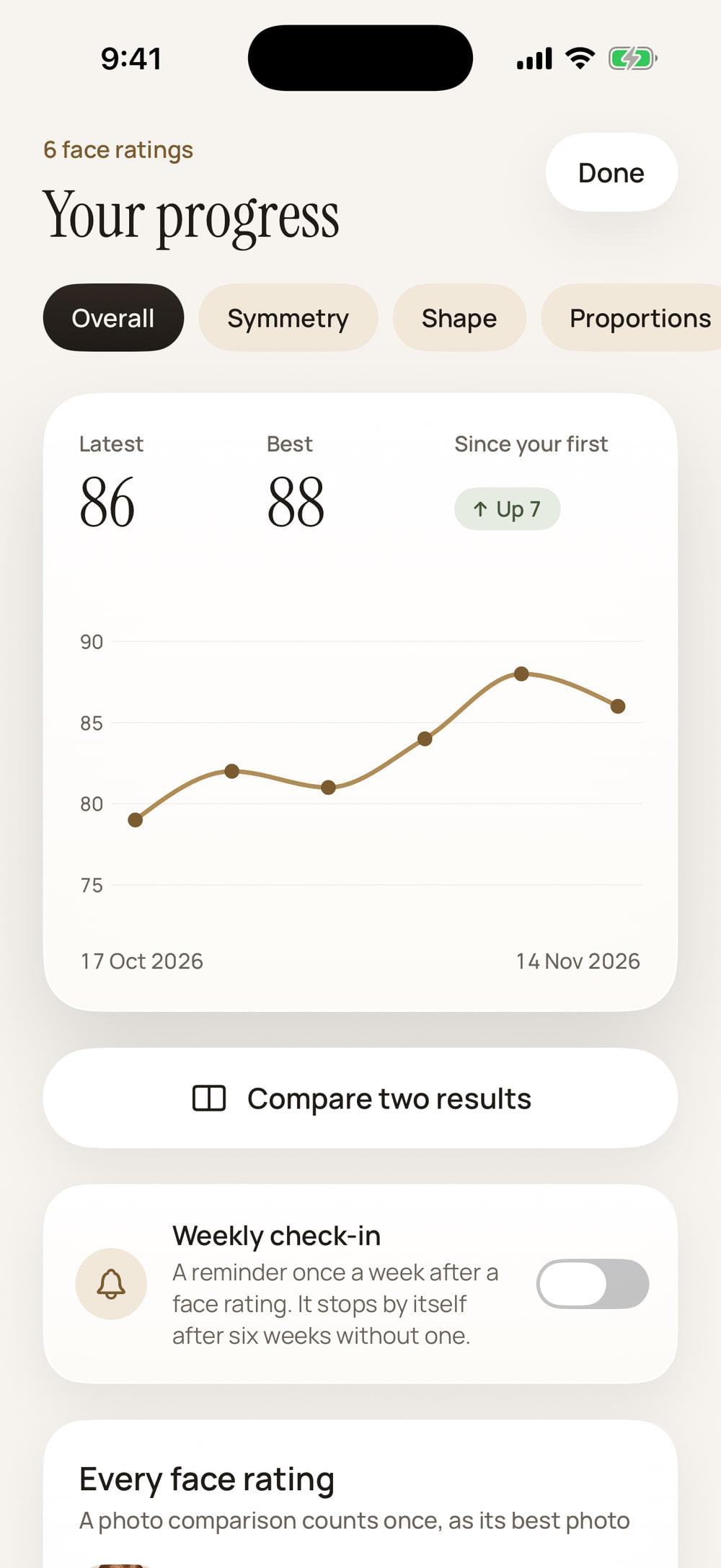
Every face rating is saved on your phone, so the second one has something to stand beside. A change is always an arrow and a word, never colour alone.
A line over time
Your face ratings in order, for the overall score or any one of the five areas, with your latest, your best and the change since your first.
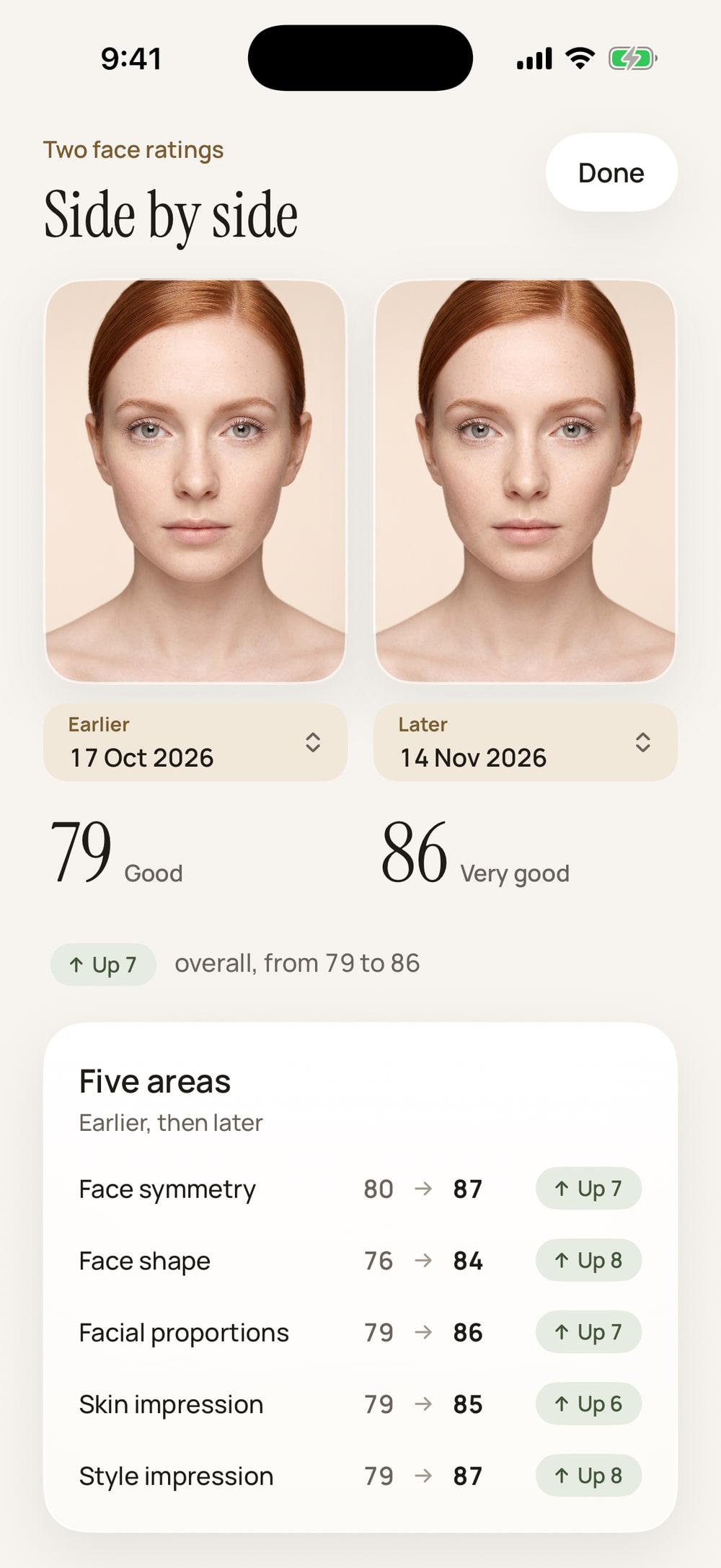
Two results, side by side
Any two ratings with their photos, their overall scores and all five areas, and how far each one moved.
A weekly reminder, if you want one
A reminder once a week after a face rating. It is off until you switch it on, and it stops by itself after six weeks without one.
Share card
A card made for stories.
Every result comes with a picture sized for stories. A face rating shows your photo, your overall score and your five areas. An impression test shows your poster in a frame.
The card is made on your phone and handed to the share sheet. It goes only where you send it, and it always says that the score is an AI estimate from one photo.
What it doesn’t do
Calm and honest, on purpose.
Four things Glancy will never do.
No harsh labels
A score comes with a plain word, from Developing to Excellent, and a short comment. There is no slang, no leaderboard and no public profile. A result is shared only if you share it.
No account
No sign-up, no sign-in and no profile. Your results are saved on your phone, and one button in Settings deletes them all.
No product shop
Suggestions are ideas, not adverts. There are no affiliate links and nothing for sale inside the app.
Not a verdict
Every result is an AI estimate from one photo. It does not measure your worth, and it is not medical or professional advice.
Privacy
Here is what happens to your photo.
A face is personal. So this is the whole path, in four steps, with nothing left out.
Your photo is sent once, to be read
When you start an analysis, your photo goes through Glancy’s server to AILabTools, the service that reads it. It receives the photo and nothing else about you: no name and no email.
Our server stores no photos
Glancy’s server checks your plan and your daily limit, passes the photo on and keeps none of it: no photo, no score, no report and no poster.
Deleted after analysis
AILabTools’ published policy says an uploaded photo is deleted as soon as processing finishes and is not used for training. A result picture is kept for at most 24 hours, so the app can download it.
Kept on your phone
Your photos, scores, reports and posters are saved on your phone only. The photo you choose before a plan starts waits there too, and is not sent anywhere until you subscribe.
Plans
Two plans. Everything in both.
Glancy needs a membership to analyse a photo. There is no free analysis and no trial, which is why the app shows you a complete sample first. The price is shown in the App Store before you subscribe, in your own currency.
Yearly
Best value- Face rating, with five scored areas and suggestions
- Impression test, with a poster to share
- Best photo picker, for two to four photos
- Your progress over time, and share cards
Weekly
Pay week to week- Face rating, with five scored areas and suggestions
- Impression test, with a poster to share
- Best photo picker, for two to four photos
- Your progress over time, and share cards
Plans renew until you cancel, and you can cancel any time in your App Store account settings. A daily limit on analyses applies, and a failed analysis never counts towards it. If a plan ends, the results you saved stay readable.
Questions
Plain answers.
What does Glancy do?
It reads one photo of your face and gives you two results. The face rating has an overall score out of 100, five scored areas, the details that stand out, suggestions and the style words that fit your look. The impression test is a poster with four impression scores and one overall score.
Is there a free version or a trial?
No. Glancy needs an active membership to analyse a photo, and there is no trial. So that you know what you are paying for, the app shows a complete sample of both results before it asks you to subscribe.
Is the score a fact about me?
No. It is an AI estimate based on one photo, for personal reference only. Light, angle, expression and the camera all move it, so the same face can score differently in another photo. It does not measure your worth and does not replace professional advice.
What kind of photo works best?
One face, looking at the camera. Face a window or soft, even light, look straight ahead with a relaxed face, take glasses off and keep hair away from your face. The app checks the photo on your phone first and tells you if it cannot find one clear face.
What is the best photo picker?
Add two to four photos of yourself. Each one gets a face rating and they are ranked by overall score, so you can see which one reads best, for example for a profile picture. Each photo counts as one analysis.
Where does my photo go?
When you start an analysis, your photo goes through Glancy's server to AILabTools, the service that analyses it. Glancy's server does not store it. AILabTools' published policy says the uploaded photo is deleted as soon as processing finishes and is not used for training, and that a result picture is kept for at most 24 hours. Your results are saved on your phone only.
Do I need an account?
No. There is no sign-up and no sign-in. Your results are kept on your phone, and you can delete them all in Settings.
Is there a limit on how many photos I can analyse?
Yes. There is a daily limit, and the app tells you when you have reached it. An analysis that fails, or a photo that cannot be read, does not count towards it.
Can I analyse someone else's photo?
Analyse your own face, or a photo you have permission to use. Glancy is for adults aged 18 or older.
How do I cancel, and what happens then?
Plans are bought through your Apple Account and renew until you cancel. Cancel any time in your App Store account settings, at least 24 hours before the current period ends. If your plan ends, the results you saved stay readable, and new analyses need an active plan.
Is it medical or professional advice?
No. The suggestions are general ideas drawn from one photo. If you are worried about your skin or your health, speak to a doctor.
Which phones does it work on?
iPhone with iOS 26 or later, in portrait.


Your reading is one photo away.
Glancy is coming to the App Store. A face rating and an impression test from one photo, with no account and your results on your phone.
Requires an iPhone with iOS 26 or later.